
How to remove the middle of a long screenshot on Android
Screenshot Middle Cut is an Android app that removes unwanted horizontal sections from the middle of a long screenshot and joins the remaining top and bottom into a single image.
▶ Get it on Google PlayApp facts
- App name
- Screenshot Middle Cut (Japanese: スクショ中間カット)
- Platform
- Android 10 or later
- Price
- Free (contains ads)
- Developer
- Hiroshi Studio
- Languages
- English, Japanese, Spanish
- Available on
- Google Play
Before and after
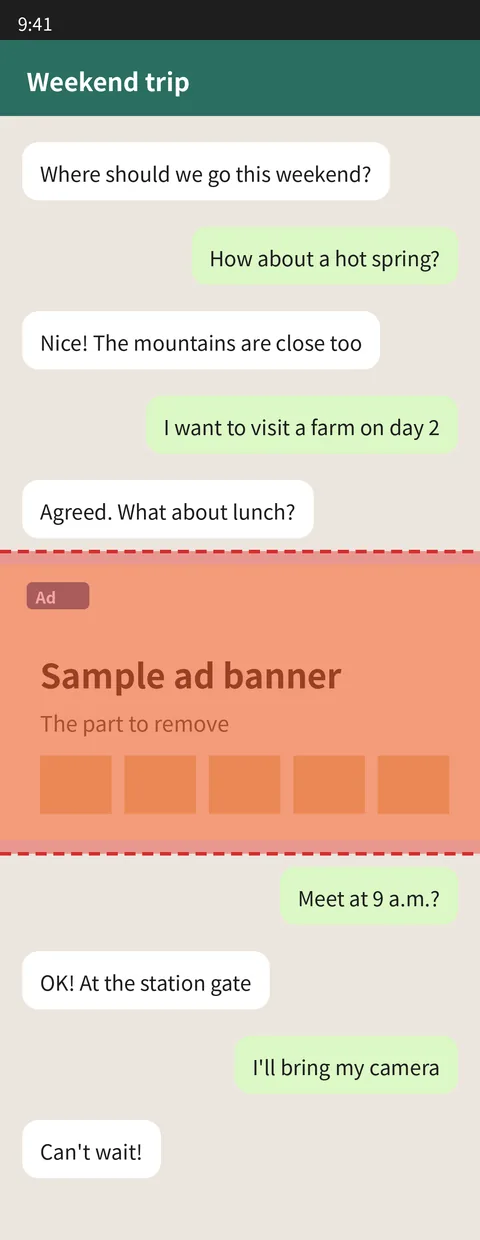
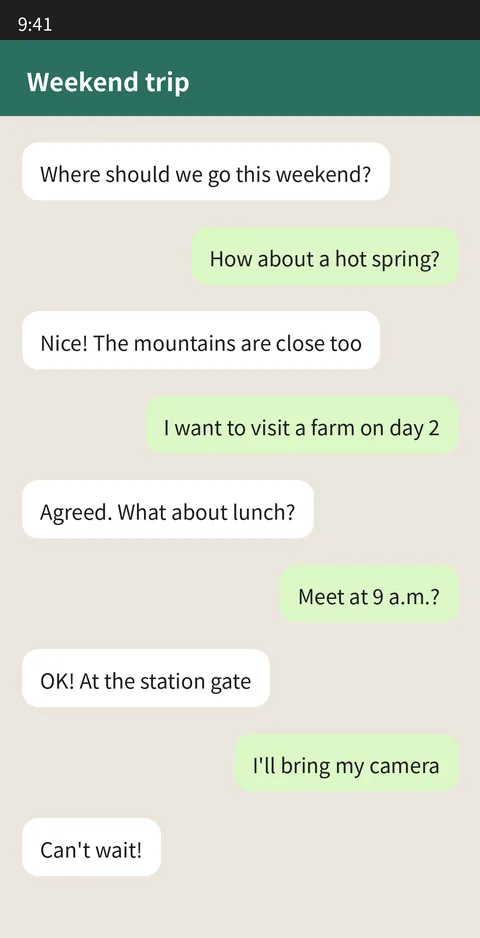
Note: the sample is a fictional screenshot made for illustration. The "after" image was produced with the same processing the app uses.
Frequently asked questions
Can I remove just the middle of a long screenshot?
Yes. Mark the part you want to remove with two horizontal lines, and Screenshot Middle Cut removes that section. It removes horizontal bands that span the full width of the image.
Can I delete an unwanted part of a screenshot and join the top and bottom?
Yes. The app removes the selected section and joins the remaining top and bottom parts in their original order. You can mark more than one section and preview the result before saving.
Is the original image kept?
Yes. The original image is never changed or overwritten. The result is saved as a new PNG image in the "Pictures/ScreenshotCut" folder on your device, keeping the original width and resolution.
Is there a free Android app for this?
Screenshot Middle Cut is free to download and use, and it contains ads: a banner at the bottom of the screen and a full-screen ad that may appear after saving. It works on Android 10 or later.
Are my images uploaded anywhere?
No. All processing happens on your device, and images are not sent to any server. The app only accesses the one image you choose with the Android photo picker.
Can it erase only text or people?
No. Screenshot Middle Cut only removes full-width horizontal bands. It cannot erase individual text, people, or objects, and it has no AI-based automatic removal or image fill.
How to use it (3 steps)
- Tap "Choose an image" and pick one long screenshot.
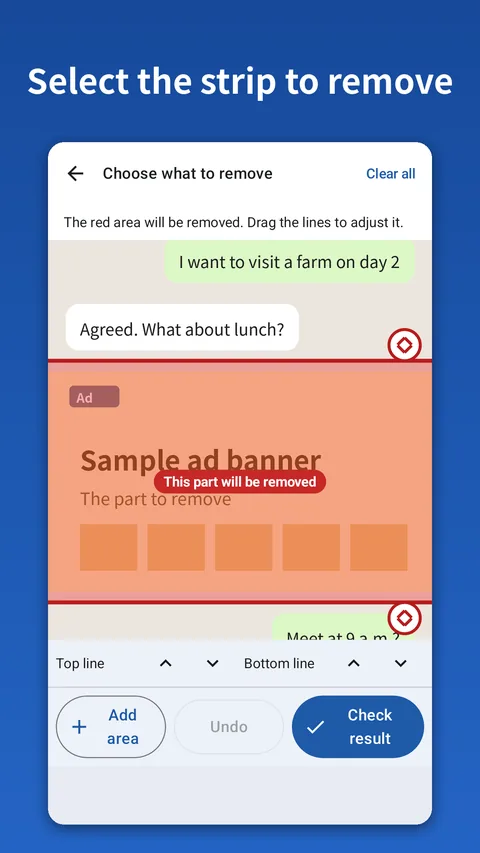
- Drag the top and bottom lines of the red band to mark the part to remove (use "Add area" to mark more).
- Tap "Check result" to preview, then "Save" to save it as a new image.
What it does not do
- Erase only text, people, or objects
- Detect unwanted parts automatically with AI or fill in images
- Photo editing such as blur, text, or filters
- Run on iPhone (iOS)